|
littleguysoftware.com
|
|
| INSURANCE TRACKER SOFTWARE SCREEN SHOTS These are a few snapshots from within the program an earlier version of the program to help you visualize how it operates. That's the upside of screen shots. The down side it that they are not necessarily in sequence and appear without the explanatory text related to their use. All new programs are UPDATED FOR 2012 AND HIPAA 5010 CHANGES. All versions of the Insurance Tracker now include Smart Reports. One button access to complete summaries of your practice. (see below)The Individual program opens to the following screen. The Group Version and Biller's Version start by having you select the clinician you are working with.
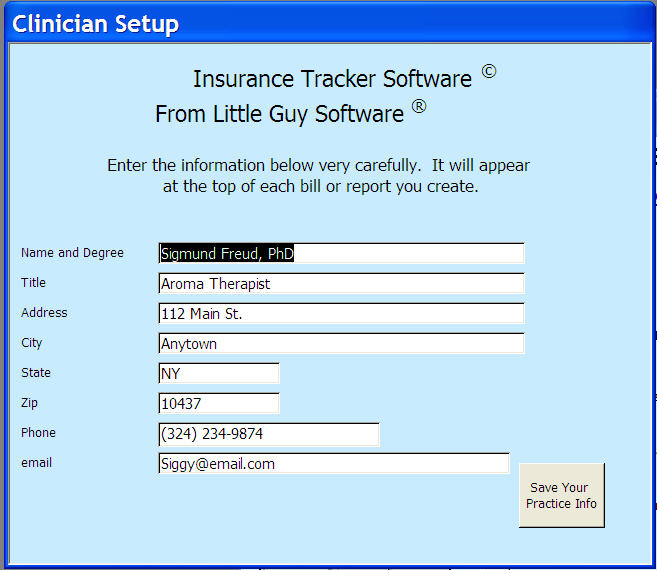
In the Program Setup, you customize the program. All of your information gets built in and is then available in drop down menus within the program.
When you ENTER YOUR PRACTICE INFO, the Insurance Tracker creates letterhead for you for when you send a bill or print a report.
ADD TYPES OF SERVICE YOU PROVIDE
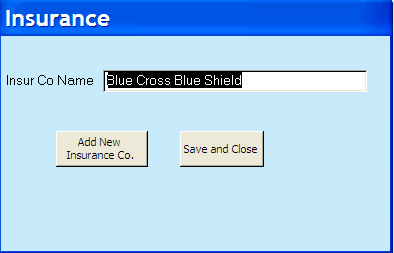
ADD INSURANCE COMPANIES YOU BILL TO
Add messages to the bills you create. Could be "best wishes for the holiday season" or it could be used to inform the patient that "interest is calculated on outstanding payments".
Enter patients. If the program recognizes the name as one entered previously, it will complete it for you.
This screen provides you with a quick summary of this patient's insurance status in the upper half and amount outstanding in the lower. Formal summaries are easily printable via the Reports and Smart Reports screens. Most reports can now be printed in Microsoft Word as well.
Select the REPORTS tab. It will take you to this screen.
Here you can ask for a summary of the amount outstanding summary for all patients
Or a summary of remaining authorized sessions for all patients.
Now return to the Main Screen and select the Generate Patient Bill tab.
click Prepare Report to generate bill. Include a message at the bottom, if you wish.
Print this bill and you are ready to send it out. All versions of the Tracker now include Smart Reports. One click management of your practice is now possible.
And there is much more! SUPPORT You may contact us for assistance at In addition to prompt email support, we provide scheduled phone support for the Tracker, absolutely free.
|
| This site was last updated 1/21/12 |
© 1998-2012 K.L. Laytin, Ph.D.
ALL RIGHTS RESERVED |